

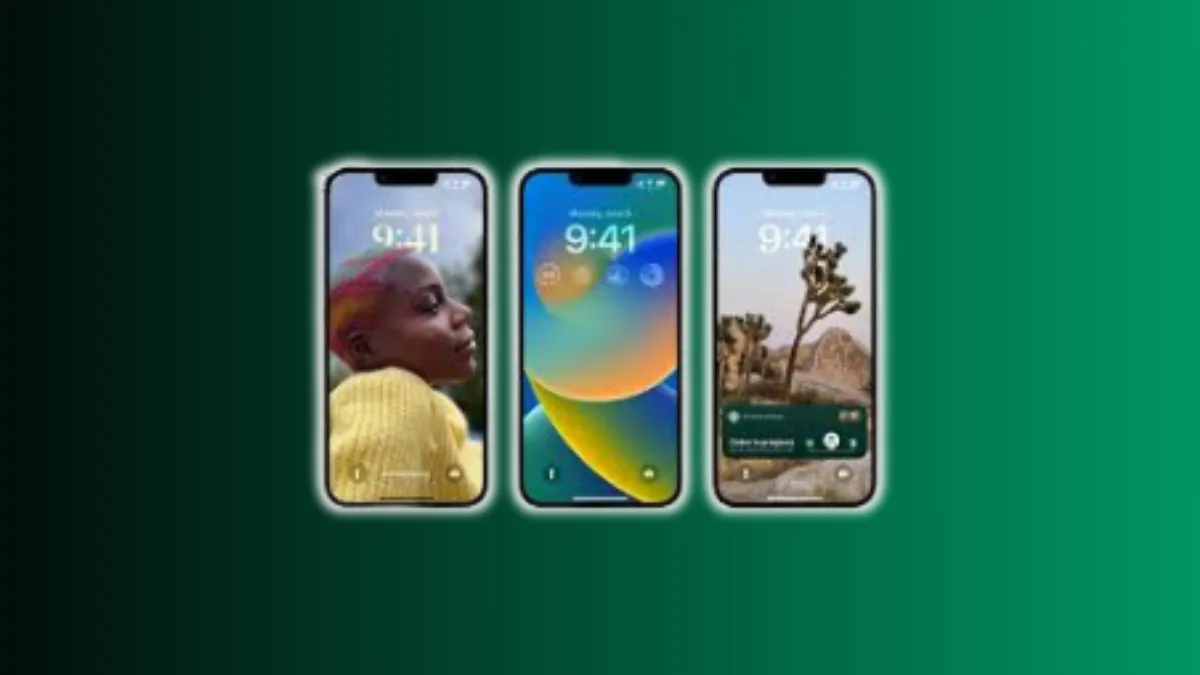
Customise Android and iOS Lock Screen features for a fresh screen look. This simple guide helps you understand every method discussed in both sources.
The lock screen is a vital part of your phone experience today. People want better design and useful tools on the lock screen. Android and iOS offer great ways to change layouts, widgets, wallpapers, and notifications.
Read Also: What is Claude AI, How Claude AI Works, and Claude AI vs ChatGPT
Customise Android and iOS Lock Screen With Android Lock Screen Apps
Android allows deep control over the lock screen design. Android users enjoy many apps that change wallpapers, widgets, notifications, and unlock styles.
These apps add new layouts, new backgrounds, better security, and fun themes. Below is a long look at popular apps and their main features. Every app offers simple tools that help users change their daily screen style.
Solo Locker Features
Solo Locker offers strong wallpaper sections for better screen looks. This app gives many categories like animals, flowers, festivals, lifestyle, and landscapes. Users can choose pin, pattern, or password locks easily.
The image circle feature adds photos to pattern dots. You can adjust blur levels for deeper personal style choices. Users enjoy simple tools and strong design options.
Ava Lock Screen Tools
Ava Lock Screen has a clean design with no ads. The layout looks similar to default Android or iOS screens. Users can add widgets and swipe right for apps. You can change themes, clock style, and wallpaper blur. It gives better app access without heavy animations.
Always on AMOLED Options
Always on AMOLED supports modern AMOLED screens. It stays active with low battery use. It shows notifications with strong clarity. It vibrates when the phone moves or comes out of the pocket. Users can block certain apps and see low priority alerts. Customisation is limited but features are smooth and clear.
Semper Learning Lockscreen
Semper mixes learning with unlocking. It uses Quizlet questions for vocabulary and trivia. Students can add GK questions for daily learning. Customisation is limited, and features are simple. Business users may not enjoy this app much.
Lock Screen Creator Apps
Some apps allow complete lock screen creation. Users can change text, font, colour, and add elements. This type of app also offers paid versions for full control. Users can even upload their designs to Play Store. It gives strong creative satisfaction.
Gesture Lock Screen
Gesture Lock Screen allows unlocks using personal gestures. Users can select gesture shapes and animation styles. You can change lock time, lock sounds, and gesture colour. The free version shows ads, but paid versions remove them.
Photo Lock Screen Apps
These apps support pin, pattern, and passcode. Users can add personal photos as backgrounds. Some apps support widget features like music players. Pattern dots can also include images. Blur options may be missing, but basic features work fine.
Floatify and Lollipop Style Lockscreens
Floatify gives weather info, app alerts, and quick shortcuts. It turns on when the phone is picked up. However, no updates since 2017 may cause security risks.
Lollipop style lock apps support page-based widgets. Users can add maps, music, radio, messaging, and clocks. The soft key can power off the device.
3D Lockscreen Apps
Many apps offer 3D screens with bubbles or droplets. Users unlock with pin, pattern, or passcode. They also show Wi-Fi, network, and battery data. These apps offer many wallpapers and use low memory. Users enjoy interesting backgrounds with simple unlock tools.
Privacy-Based Apps
Some apps hide private photos, videos, and apps. They offer fingerprint unlock, pin, and passcode options. Wallpaper customisation may not be available. Users can protect calls and notifications from intruders.
Wallpaper Changing Lockscreens
These apps change wallpapers every time the screen opens. They show sports, entertainment, business, news, and viral content. Users can access music players and notification tools. Widgets offer simple app access from the lock screen.
Gold, Zipper, and Theme Locks
Gold theme apps unlock with zipper animations. They allow text, zipper, background, and colour changes. Users also get pin and passcode support with layered protection.
Door lock apps work with single or double door themes. Intruder photos are taken if wrong codes are entered. This helps users track theft attempts.
Pattern-Only and Heart Lockscreens
Pattern-only apps allow dot images and dot shape changes. Users can change shapes to hearts, stars, or diamonds. They use low memory and battery.
Heart lock apps show heart images and only support pin unlock. They offer simple designs and notification support.
How to Customise Android Lock Screens Manually
Android also allows built-in lock screen changes.
Steps include:
- Open settings on your phone
- Tap security and location
- Open screen lock option
- Choose lock screen preferences
Users can also add widgets and change wallpapers directly. Android offers simple access to all tools.
Read Also: What is Synthesia AI and How Synthesia AI Works in 2025
Customise Android and iOS Lock Screen With iOS 16 Features
iOS 16 gives full control to iPhone users. It brings new lock screen design, new widgets, better notifications, and fresh system tools.
Apple also adds new features for Mail, Messages, Home, Health, Safari, and Safety. iOS 16 supports many iPhone models and offers smooth installation steps.
Supported iPhone Models
iOS 16 works on:
- iPhone 8 to iPhone 14 series
- iPhone X, XS, XR
- iPhone SE 2 and SE 3
How to Install iOS 16
Users can install iOS 16 through:
- Settings
- General
- Software Update
- Download and Install
The device restarts after setup.
New Lock Screen Customisation Tools
This version is the biggest lock screen redesign in years. Users can add widgets, photos, colours, and time fonts.
You can create many lock screens and switch quickly. Developers can create their own lock screen widgets. Users can enjoy live activities for real-time updates.
New Notification System
Notifications now appear at the bottom. Users can choose list, stack, or count. This keeps the screen clean and clear. Live Activities show updates for ongoing events like sports or rides.
Focus Mode Improvements
Users can connect lock screens to Focus modes. Work mode can hide personal apps. Personal mode can hide work alerts. Apps can filter content based on Focus settings.
iCloud Shared Library
Families can share photo libraries. iOS selects photos based on faces, location, and group events. Edits sync across all devices.
Big Messages Update
iOS 16 adds message editing and unsending. Users can mark chats unread. A trash bin stores deleted chats for 30 days. SharePlay works inside Messages. Collaboration tools add recipients automatically.
Mail App Upgrade
Mail now supports undo send, schedule send, follow-up alerts, and attachment reminders. Search results are stronger and detect spelling issues.
Safari and Other Tools
Safari adds shared tab groups and password-less logins. Health adds medication tracking and cycle alerts. News adds sports and easy sections. Home app gets a full redesign. Safety Check protects users in dangerous situations. Fitness app works without Apple Watch. Photos find duplicate images easily.
Read Also: What is Claude AI, How Claude AI Works, and Claude AI vs ChatGPT
Customise Android and iOS Lock Screen With Simple Tips
Android and iOS offer different styles but similar goals. Users can change wallpapers, add widgets, move shortcuts, change clock style, and manage notifications.
Security tools like pin, pattern, passcode, and fingerprint are easy to manage. Third-party apps add deeper customisation on Android. Apple gives full design control within the system.
Customise Android and iOS Lock Screen tools improve your daily phone experience easily. Android users get deep control using many lock screen apps.
iOS 16 users enjoy new fonts, widgets, and notification styles. Both systems offer smooth and simple features for all users. Try these tools to get a smart, clean, and personal lock screen layout today.